
Meet RTO Targets With Orchestrated, Instant Recovery
Your clients expect systems back now—not tomorrow. Retention won’t undo downtime. Datto helps MSPs meet Recovery Time Objective (RTO) commitments with instant virtualization, runbooks, policy automation and clear reporting—so you cut outage time, close tickets faster and give buyers confidence during the “why continuity” conversation.
Get A Live Demo
How It Works
Step 1: Set the RTO target
Define Recovery Time Objective (RTO) per workload—how long each system can be down—based on business impact.
Step 2: Prioritize and pre‑stage
Classify critical apps and services, then pre‑stage runbooks and recovery settings so failover steps are ready when you are.
Step 3: Automate backups and verification
Run image‑based backups on schedule and verify recoverability automatically, so you know systems will boot when minutes matter.
Step 4: Recover in minutes—locally or in the cloud
Spin up protected systems on Datto devices or in the cloud to meet tight RTO while production is repaired in the background.
Step 5: Fail back and report
Return services to production with minimal disruption and share plain‑language reports showing time‑to‑recover and activity.
Why Backup Matters
- Downtime is costly
Availability doesn’t guarantee recoverability when data is deleted, overwritten or corrupted. RPO requires independent points in time. - Complexity grows risk
A sync, script or bulk change can wipe critical data. Backup turns panic tickets into targeted restores that limit loss to your RPO window. - Threats don’t wait.
Ransomware, hardware failure and bad updates happen. Instant recovery helps you meet RTO and control support costs.
Protect More, Restore Faster, Sell With Confidence

Instant, Granular Recovery
Orchestrated Runbooks & Alerts
Built To Resell
MSP Pain Points We Solve
- Hardware failure → systems online in minutes
Boot impacted workloads on backup infrastructure or in the cloud to hit RTO, then repair production behind the scenes. - Ransomware → clean environment fast
Run clean copies of servers and restore only what’s needed so teams can work while you remediate. - Bad patch or upgrade → quick rollback
If an update breaks things, fail over to last known good systems and plan a controlled fix without extended downtime. - Complex dependencies → guided runbooks
Sequenced start‑ups and pre‑staged steps keep databases, apps and services aligned so recovery isn’t trial‑and‑error. - SLA pressure → reportable time‑to‑recover
Show objective RTO results—what booted, when it was available and how long it took—so QBRs focus on outcomes, not explanations. - Tool sprawl → one continuity console
Standardize runbooks, alerts and reporting across every client to protect margin and keep recovery predictable.
FAQs
Many workloads can be virtualized on backup infrastructure or in the cloud in minutes to meet aggressive RTO while repairs happen in the background.
No. Orchestrated runbooks, multi‑tenant policy control and manage‑by‑exception alerts reduce manual steps and escalations.
Export recovery reports that show time‑to‑boot, system availability and restoration activity in plain language.
Recovery tests can be scheduled and isolated so you validate RTO without impacting production.
Yes. Once production is ready, fail back in a planned window to minimize disruption.
Shorter outages and fewer rebuild hours reduce ticket cost; visible results improve renewals and lifetime value.
No—retention helps with availability; continuity meets RTO. Together they reduce risk and speed resolution.
We Don’t Just Back Up—We Help You Sell It
Use client‑ready RTO pitch scripts, objection handling and proposal language so continuity becomes a default line in every plan.
What You Can Restore
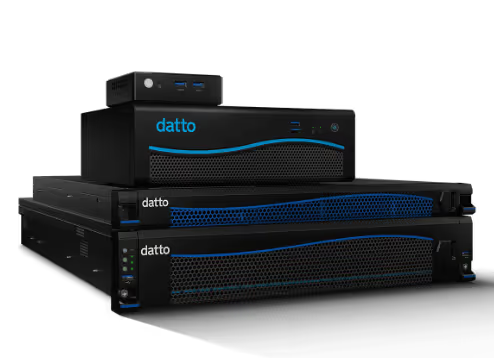
- Servers & VMs: spin up key systems locally or in the cloud to meet RTO.
- Applications & Databases: run critical workloads while you restore to production.
- File Shares & NAS: provide access fast, then phase in full recovery.
- Endpoints: keep revenue teams productive while IT remediates.
Powerful Features That Speed Recovery
Instant Virtualization
Bring critical workloads online locally or in the cloud to meet tight RTO.
Runbooks & Orchestration
Pre‑define boot order and steps to reduce decision time when every minute counts.
Automated Verification
Know systems will start with regular, automated checks and alerts.
Granular Restore and Failback
Restore files, objects or systems as needed; fail back with minimal disruption once production is ready.