
Meet RPO Targets With Granular, Automated Backup
Your clients rely on their systems and data every minute. Retention won’t undo accidental deletion, corruption or a bad sync. Datto helps MSPs meet Recovery Point Objective (RPO) commitments with automated snapshot schedules per workload, precise restore options and clear reporting—so you minimize data loss, resolve tickets quickly and give buyers confidence during the “why backup” conversation.
Get A Live Demo
How It Works
Step 1: Set The RPO Target
Agree on Recovery Point Objective (RPO) per client and per workload—how much data they can afford to lose.
Step 2: Map Workloads & Assign Cadence
Group systems by business impact. Apply snapshot frequency and retention that match each workload’s risk profile and RPO.
Step 3: Automate Snapshots & Pre‑Change Points
Run policy‑based schedules and add on‑demand snapshots before migrations, patch cycles or bulk updates to reduce RPO exposure.
Step 4: Verify & Alert
Continuously verify snapshot success and surface missed windows with manage‑by‑exception alerts so RPO stays on track.
Step 5: Restore To Last Clean Point & Report
Recover to the most recent good snapshot within the RPO, then share client‑friendly reports showing coverage, cadence and restore history.
Why Backup Matters
- Retention isn’t backup
Availability doesn’t guarantee recoverability when data is deleted, overwritten or corrupted. RPO requires independent points in time. - People Make Mistakes
A sync, script or bulk change can wipe critical data. Backup turns panic tickets into targeted restores that limit loss to your RPO window. - Threats Target Business Data
Ransomware, malicious changes and software faults happen. Fast, point‑in‑time recovery helps you meet RPO and control support costs.
Protect More, Restore Faster, Sell With Confidence

Granular, Fast Restores
Automated Policies & Retention
Built To Resell
MSP Pain Points We Solve
- “Cloud Has Me Covered” → Define And Prove RPO
Move from assumptions to agreements. Set snapshot cadence per workload and show the last successful point in time for every system. - No Pain, No Priority → Make RPO Measurable
Turn “important someday” into a metric. Display snapshot frequency, last good backup and missed windows so stakeholders see risk in minutes. - Selling Discomfort → Plain‑Language RPO
“RPO is how much data we can afford to lose.” Back it with a schedule, a report and a recent test restore so non‑technical buyers can say yes. - Tool Sprawl → One Console, Standard RPO
Standardize snapshot policies, alerts and reporting in a multi‑tenant console so your team manages by exception—and your RPO stays predictable. - Margin Anxiety → Less Rework, Fewer Rebuilds
RPO‑aligned snapshots reduce data re‑entry and project rework after incidents. Shorter tickets and stronger renewals protect margin. - Proof Gap → RPO Evidence On Every Account
Export a simple report: systems protected, snapshot cadence, last point in time and restores performed. Show the promise and the proof side by side. - Bad Past Experiences → Predictable Restore To Last Good Point
Recover to the last clean snapshot inside your RPO with a guided, repeatable workflow that matches real tickets.
FAQs
Datto is built for MSP workflows: multi‑tenant policy automation, manage‑by‑exception alerts and search‑first, granular or image‑level recovery. Independent backup copies are encrypted in transit and at rest, and exportable reports/restore receipts support QBRs. 24/7/365 support is there when it matters.
Include RPO targets in every plan tier. Pair each tier with snapshot frequency and retention guidelines so expectations are clear and measurable.
Automation reduces labor; RPO‑aligned snapshots cut data re‑entry and shorten tickets. Clear reporting strengthens renewals, improving lifetime value.
Connect systems, apply policy templates and run a day‑one test restore—typically same day. Standardized steps make rollout consistent across clients.
Retention helps with availability. RPO demands independent, point‑in‑time copies you can restore quickly. They complement each other.
Data loss beyond your acceptable RPO, longer outages and uncomfortable QBRs. A single sync or script error can ripple across environments without a recent clean snapshot.
It complements them. Use backup to meet RPO, while retention and operational policies handle day‑to‑day availability and housekeeping.
We Don’t Just Back Up—We Help You Sell It
Use client‑ready RPO pitch scripts, objection‑handling prompts and proposal language to move deals forward. Set clear Recovery Point Objective targets per system and show buyers exactly how point‑in‑time recovery works in an incident.
What You Can Restore
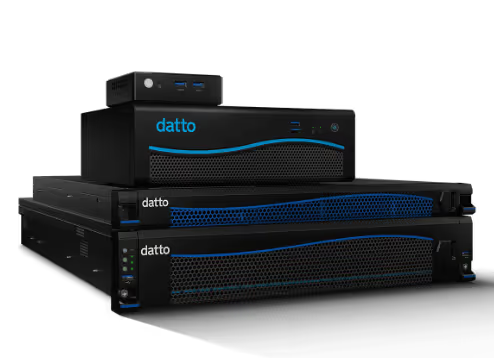
- Servers & VMs: full images, volumes and files—restored in place or to alternate hardware/hosts.
- Applications & Databases: application‑aware snapshots to recover recent data within your RPO.
- File Shares & NAS: shares, folders and files to the last clean point.
- Endpoints: user files and folders to minimize lost work.
Powerful Features That Speed Recovery
Policy‑Based Snapshots
Define snapshot cadence and retention by workload to keep data‑loss windows inside agreed Recovery Point Objectives.
On‑Demand Snapshots Before Change
Add a fresh recovery point before migrations, patching or bulk updates to reduce RPO exposure.
Search‑First, Granular Restore
Quickly locate images, volumes, folders or files and restore to original or alternate destinations—or export for offline review.
Automated Verification & Reporting
Monitor snapshot success, highlight missed windows and export client‑friendly reports that show RPO adherence.